Free & open source · runs on any WordPress
A home for your own apps.
Recipes, trips, the family wiki. Private by default, one login, running on a WordPress you control — not on someone else’s service.
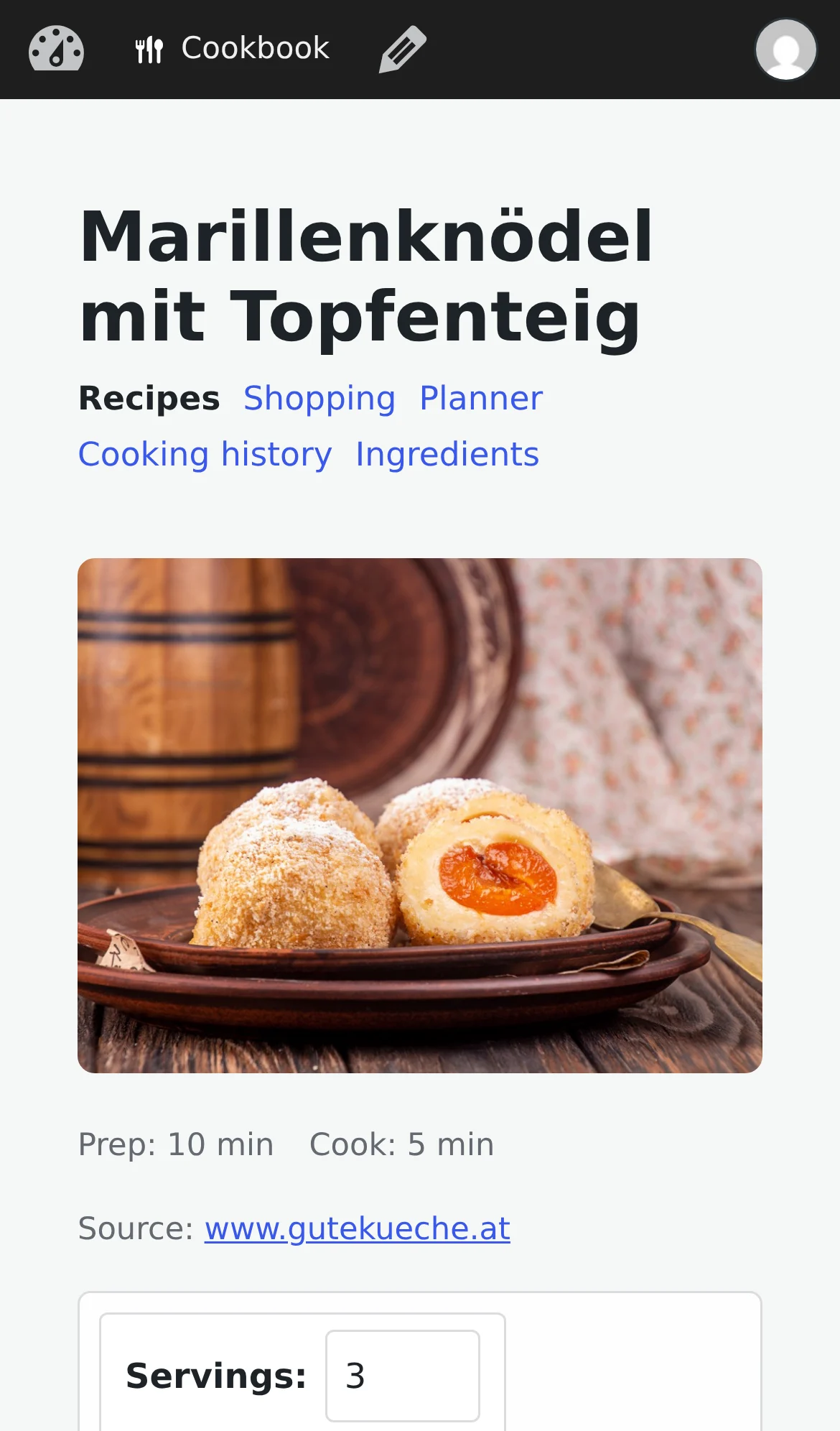
how do you have all our recipes on your phone??
it’s my cookbook app. runs on my WordPress
wait, WordPress can do that?
same site as our family wiki and the Tuscany trip
🤯
* Uses my.wordpress.net, a WordPress that runs in your browser. That means it’s free and private: it’s not reachable from the web for others.
“I thought WordPress was for blogging.”
It is, and it runs almost half the web doing it. But underneath the blog is something more useful: a place that stores your stuff, knows who you are, and lets you add features by installing a plugin.
An app here is just such a plugin. Install the cookbook and your WordPress becomes a cookbook, on the same site as your family wiki. And unlike a blog, the apps are private: only you and the people you have given an account can see what is in them.
Apps for the things you actually do
Each one is a normal WordPress plugin. Install it, and it is there for you and the people you share it with.


Three steps, no account to create
1. Get a WordPress
Already have one? Use that. If not, any WordPress host will do. Or try it first on my.wordpress.net, a free WordPress that lives in your browser, just for you.
2. Install an app
Pick one from the catalog and install it like any plugin. A cookbook, a trip planner, a family wiki: each is ready the moment it is on.
3. Invite your people
On a hosted WordPress, add family or friends as users. One login gets them into every app on your site, and nobody outside sees a thing.
It stays yours
Private by default
Your recipes, trips and notes live on your WordPress, not on a service that can change its terms, show ads, or shut down.
One place for everything
The apps share the same site, so the trip can link to the recipe, and the wiki to both. One login, one backup.
Free and open source
No subscription, no lock-in. Everything is standard WordPress data, so you can export it, move it, or extend it any time.
Try it right now
Nothing to install on your computer and nothing to sign up for. Open a WordPress in your browser, add an app, and see for yourself. When you like it, install it on your own site and bring your people in.
Not ready today? Leave your email and I’ll let you know how it’s going.
One mail asking you to confirm, and not much after that. Unsubscribe any time.