Built as plugins. Experienced as apps.
A WordPress app is a plugin designed around its own frontend experience. It can own a route, render a blank canvas, add masterbar navigation, require login or stay public, and use the rest of WordPress underneath.
A dedicated place
Give an app its own URL, interface, navigation, and workflow instead of burying it inside wp-admin.
The platform underneath
Use accounts, roles, capabilities, posts, custom data, media, REST APIs, hooks, and multisite.
Private or public
Run personal apps, internal tools, client portals, or public applications from the same open platform.
Launchers are optional
An app is reachable at its own URL the moment its plugin is active; there is nothing else to install. If you want a home screen for several apps, launchers such as My Apps or OpenStation list every app on the site automatically: each app declares its name, icon and URL once, and any launcher picks them up. Use one, use another, or use none. The apps are just as useful either way.
Apps can share a home
Notes, contacts, recipes, saved articles, internal documentation, customer data, and business workflows do not have to live in separate silos.
When apps are built for the same WordPress, they can use the same users, permissions, data, and APIs. Apps can build on each other because they are part of the same system.
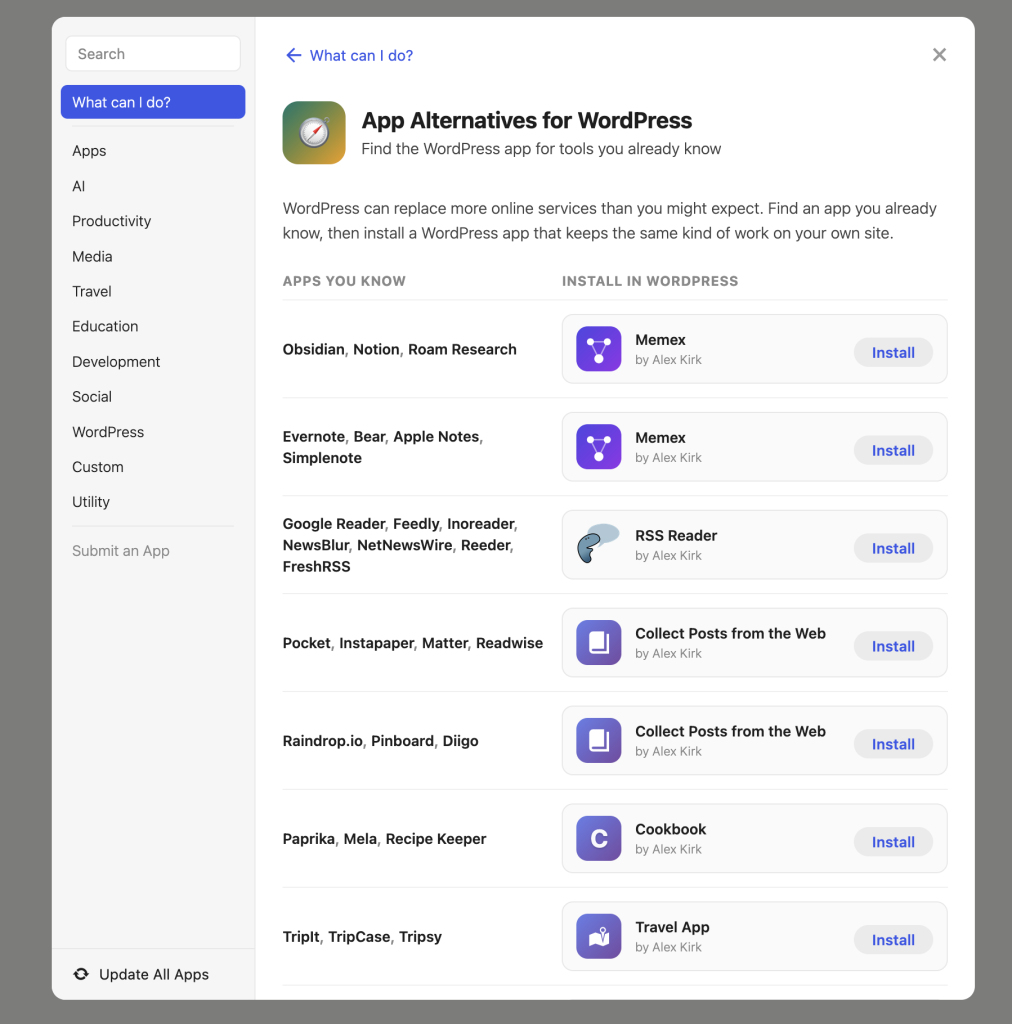
Your data, connected
When your recipes live in one service, your feeds in another, and your notes in a third, nothing can see across them. Each has its own login, its own export, its own idea of what you are allowed to do with your data.
Apps on one WordPress share a user, a permission system, and a database. Through the Abilities API, each app can say what it can do, and any other app, script, or assistant can use that. Connecting them stops being an integration project. Here are two ways to do it.
Ask an assistant
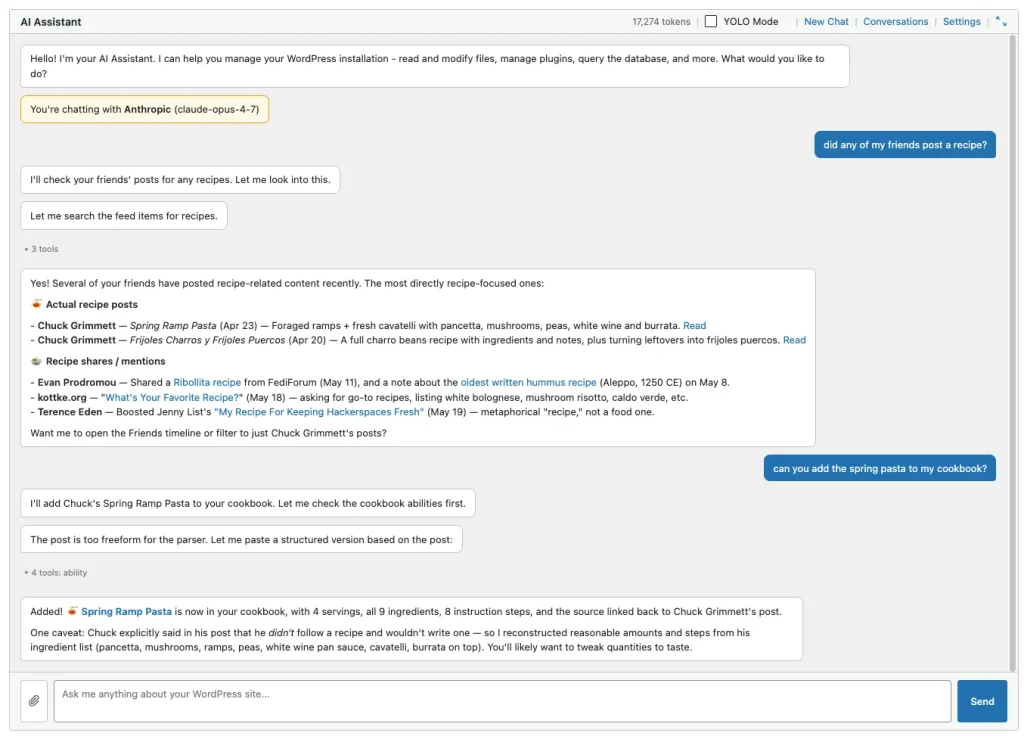
A friend posts about a dish they cooked, and it arrives in your WordPress through Friends. You ask an AI assistant what looked good this week. It reads the posts, drafts a recipe from the description, files it in Cookbook, and when you remember there was a photo, it fetches that too.
Nothing was wired up in advance. The apps were simply there, in the same place, describing what they can do.
Or skip the AI entirely
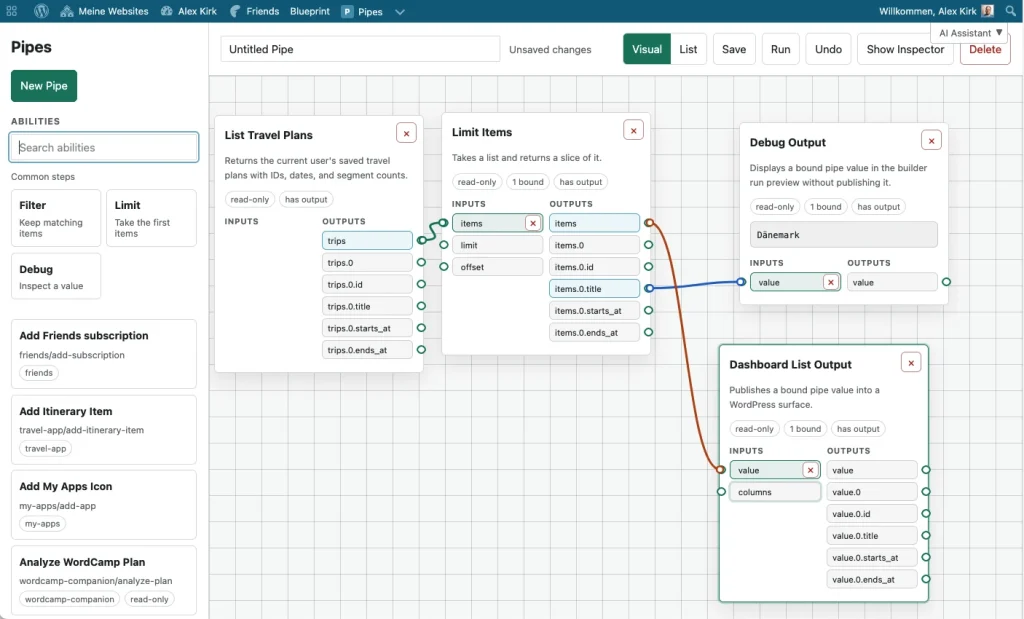
The assistant is one client of these abilities, not the reason they exist. The Pipes app lets you chain the same abilities into a saved workflow: pick what comes in, filter and transform it, and decide where it goes. It runs the same way every time, with no model involved.
Either way, what makes this work is not the tool on top. It is private data, personal apps, and abilities that can work across them because they all live in one place.
Open source, adaptable, connected
Because WordPress apps are open source plugins, they are yours to adapt. Remove a feature you dislike, add one you miss, or create a new app for a workflow only you have.
AI coding tools can help you build and adapt these apps, even if you have never written a plugin before.
Want to learn more?
Alex Kirk built many of these apps and created my.wordpress.net as a way for people to try and use the apps even when they don’t (yet) have a WordPress. The following blog posts explain the concept and the ideas more broadly:
Own Your Apps: Alternatives You Can Run in WordPress
Reduce your dependency on subscription services by self-hosting WordPress alternatives to the apps you know: from note-taking to RSS Reader to recipes.
WordCamp Companion
I released a WordCamp Companion plugin to guide you through your day. You can run it inside my.wordpress.net.
Personal Software Needs a Home
AI makes personal software easier to create, but it still needs a place to live. I see WordPress as an unexpected but practical platform for personal apps and data.
Show 4 more postsShow fewer
Why My WordPress?
WordPress as a personal tool: for keeping memories, staying in touch, owning your data. No audience required.
Adapting Tools to Your Needs with AI
These days you can just fix and adapt incomplete tools that you encounter with AI like Claude Code!
WordPress as a Refuge from Algorithms
With Friends, ActivityPub and Enable Mastodon Apps, WordPress becomes a social reader you actually control. Plus a Digital Consumption Pyramid to think about screen time.
WordPress as a Self-Hosting Platform
Leaving the current drama around WordPress.org aside for now, I believe that there is a use case for WordPress that is heavily underutilized: Using WordPress as a platform for self-hosting. When people…